Skip to content

ISINDI

Retrig — Multi-Purpose Trigger

Replace or reinforce drums, mix multi-mic instruments and turn performances into MIDI.

TRY THE DEMO

$79.00 USD · Personal license · v1.0.0

Audio demos

MIX

0 VU = −18 dBFS

OUTPUT

0:000:00

Interface

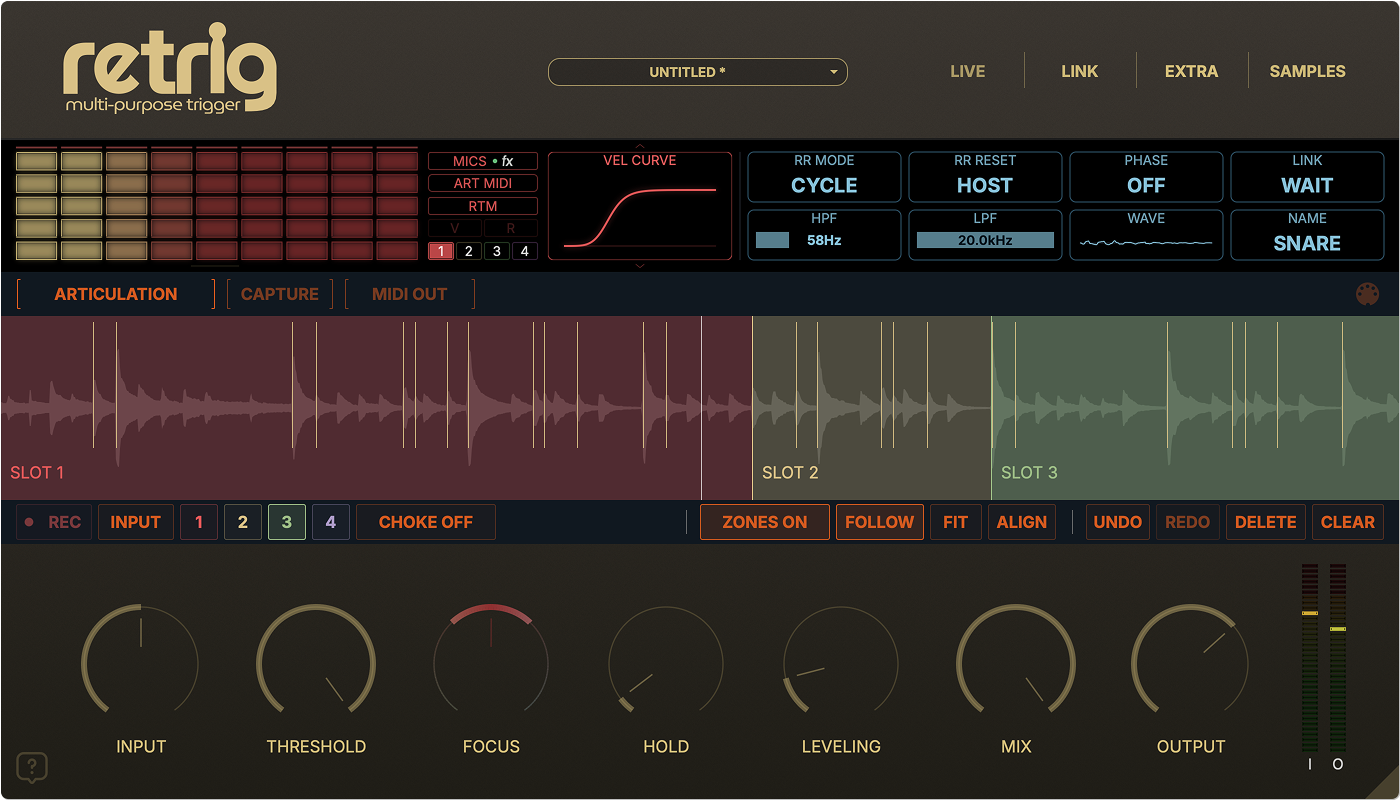
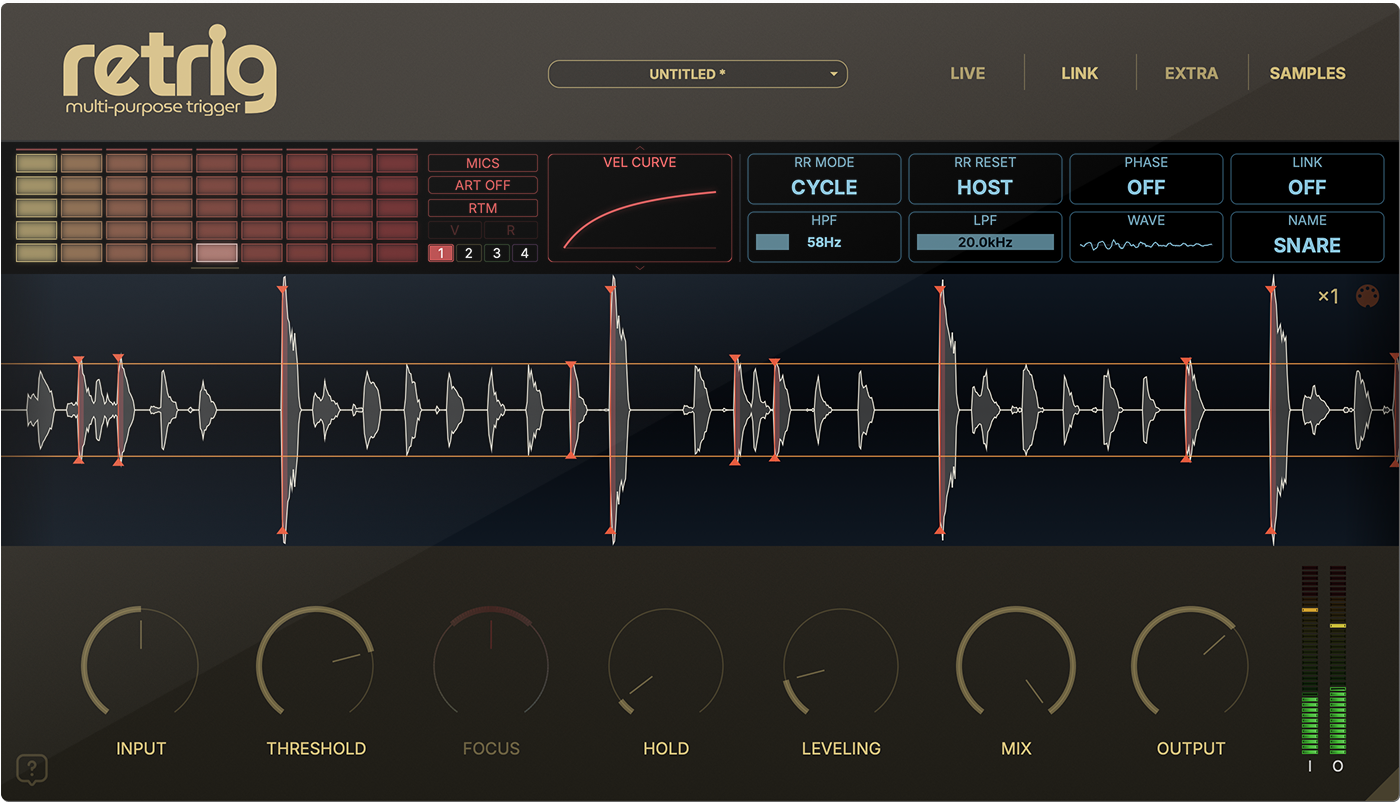
Load your own samples, RTI instruments or multi-mic RTM libraries. Use four slots for layers or articulations, then shape the response with velocity curves, round robins and slot balance.

Retrig 1.0.0 main interface with sample matrix, waveform and trigger controls
sample slots
4
velocity layers per slot
12
round robins per slot
12

STUDIO & LIVE

STUDIO

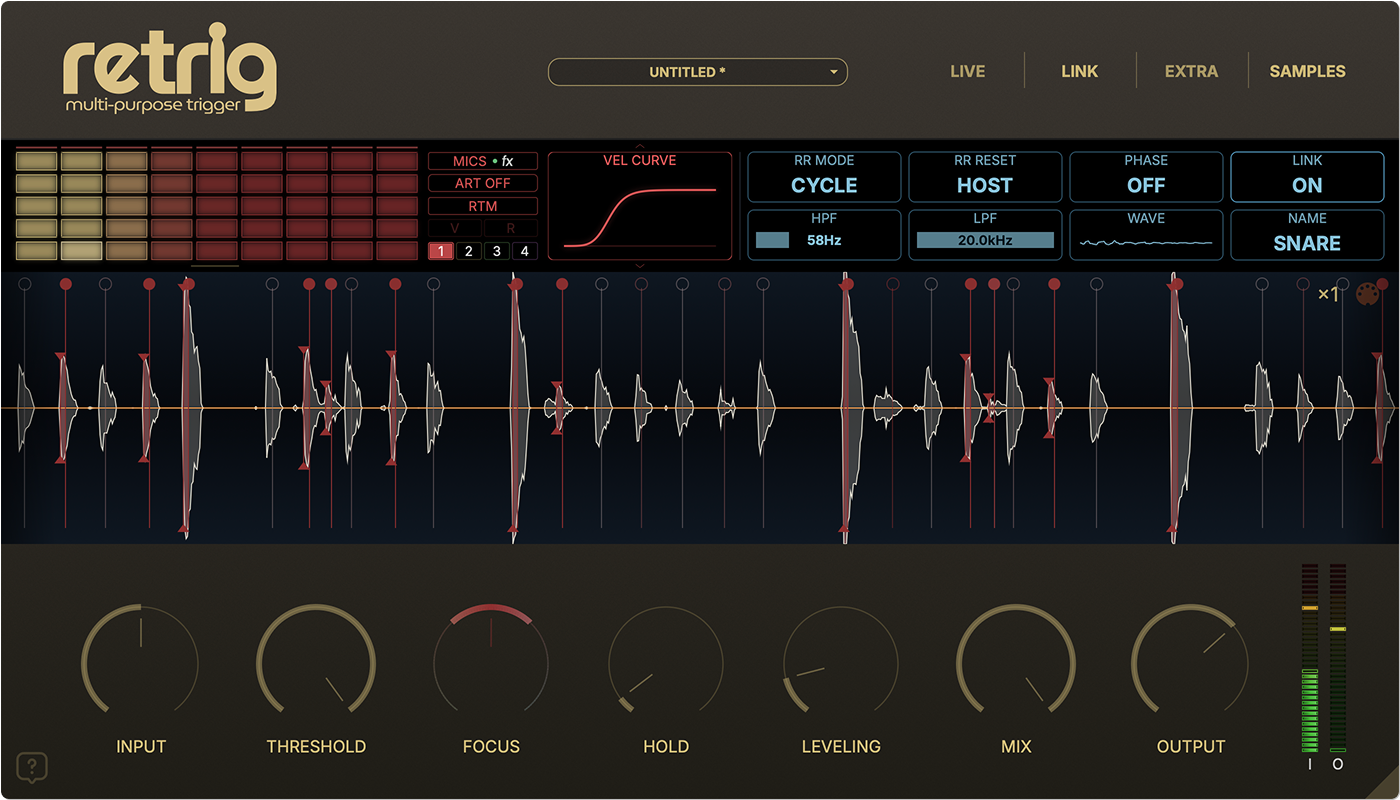
Replace and reinforce recorded drums. Set detection around the performance, then use FOCUS on one track or LINK between Retrig instances to reduce unwanted triggers from bleed.

Check ghost notes and fast rolls as you adjust sensitivity, HOLD and filters. FOCUS and LINK are available in STUDIO only.
LIVE

Play samples from a microphone input with approximately 4.2 ms of plug-in latency. The RTM microphone mixer and its inserts remain available.

Use a suitable audio interface buffer for monitoring. Total latency also includes your interface, DAW and other plug-ins.

FOCUS & LINK

FOCUS narrows the accepted hit range without another instance. LINK uses other drum tracks as bleed references. Combine them in STUDIO while checking that quiet wanted hits still play.

Retrig FOCUS and LINK bleed suppression with hit markers and detector controls

RTM microphone mixer

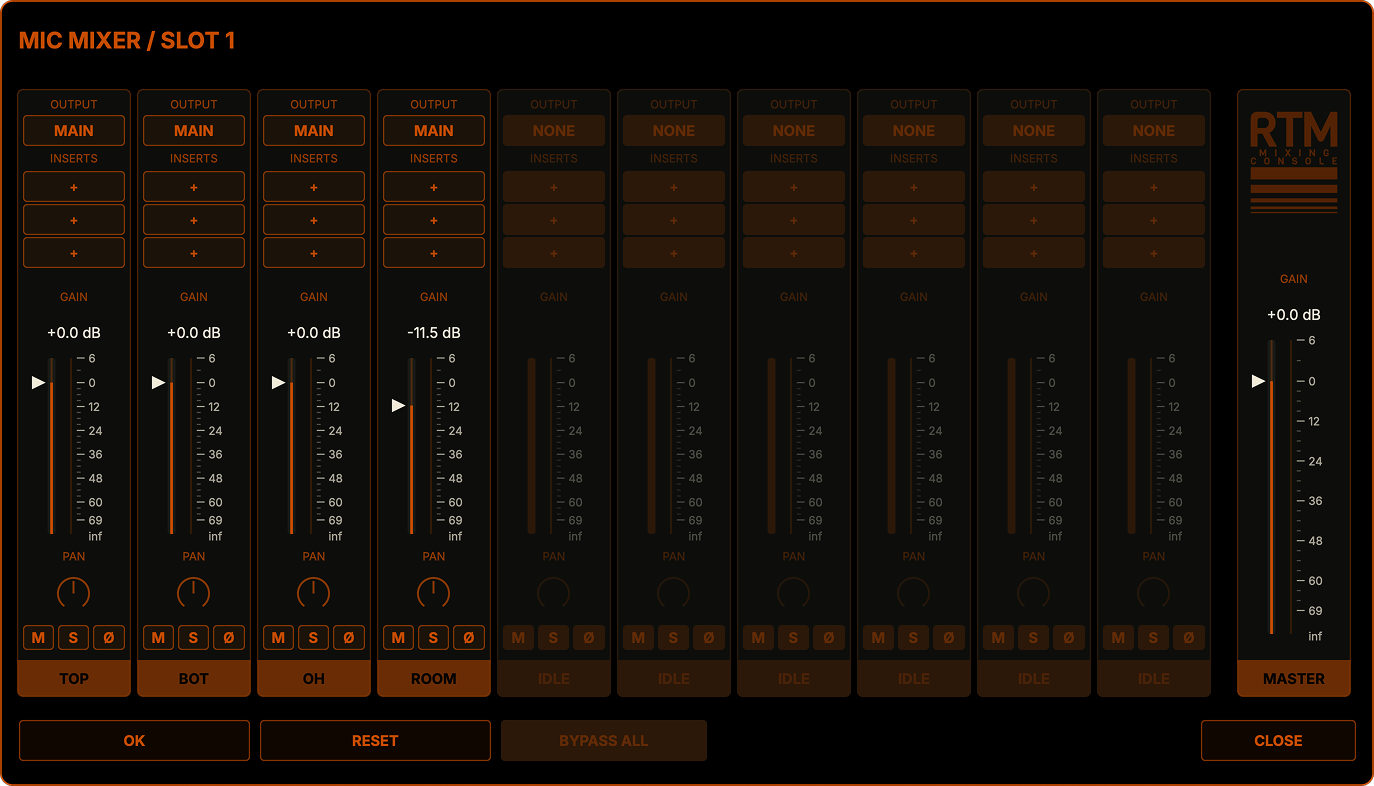
Mix up to ten microphones inside Retrig, or route them to separate DAW channels.

Retrig RTM microphone mixer with channel strips and output routing

Balance the instrument

Set each microphone’s level, pan or stereo balance and polarity. Use mute and solo to compare close, overhead and room microphones. Each loaded slot keeps its own mix.

Route it into your session

Choose MAIN or one of ten additional stereo RTM outputs. Direct outputs carry replacement audio independently of the main dry/wet blend. Enable the corresponding buses in your DAW.

Microphone effects

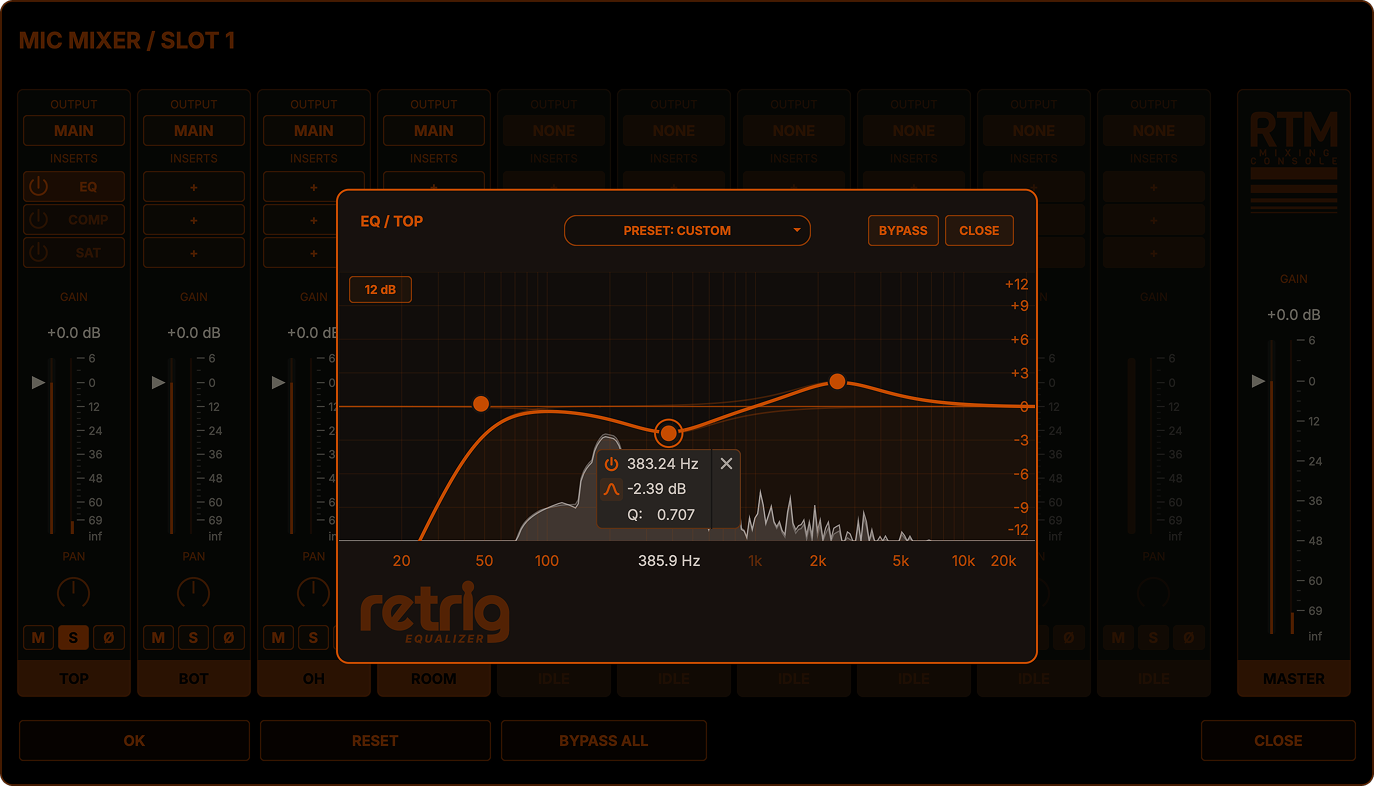
Shape each microphone with EQ, compression and saturation. Arrange up to three inserts per microphone, change their order and compare the result with bypass.

Retrig microphone EQ with spectrum display and filter controls

Four tone bands, high-pass and low-pass filters, and a spectrum display for shaping each microphone.

Articulations

Switch articulations with velocity, MIDI controls or DAW automation. Record and edit changes, then control overlapping tails with CHOKE.

Retrig articulation timeline with recorded and edited zones

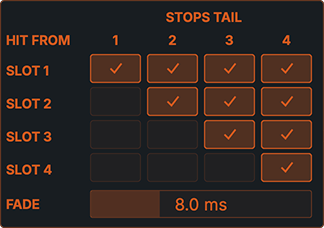
Control the tails with CHOKE

Choose which new articulation stops an earlier tail—for example, a closed hi-hat stopping an open hi-hat. Directional links and an adjustable fade keep the transition under your control.

Retrig directional CHOKE matrix and fade control

MIDI Capture & MIDI OUT

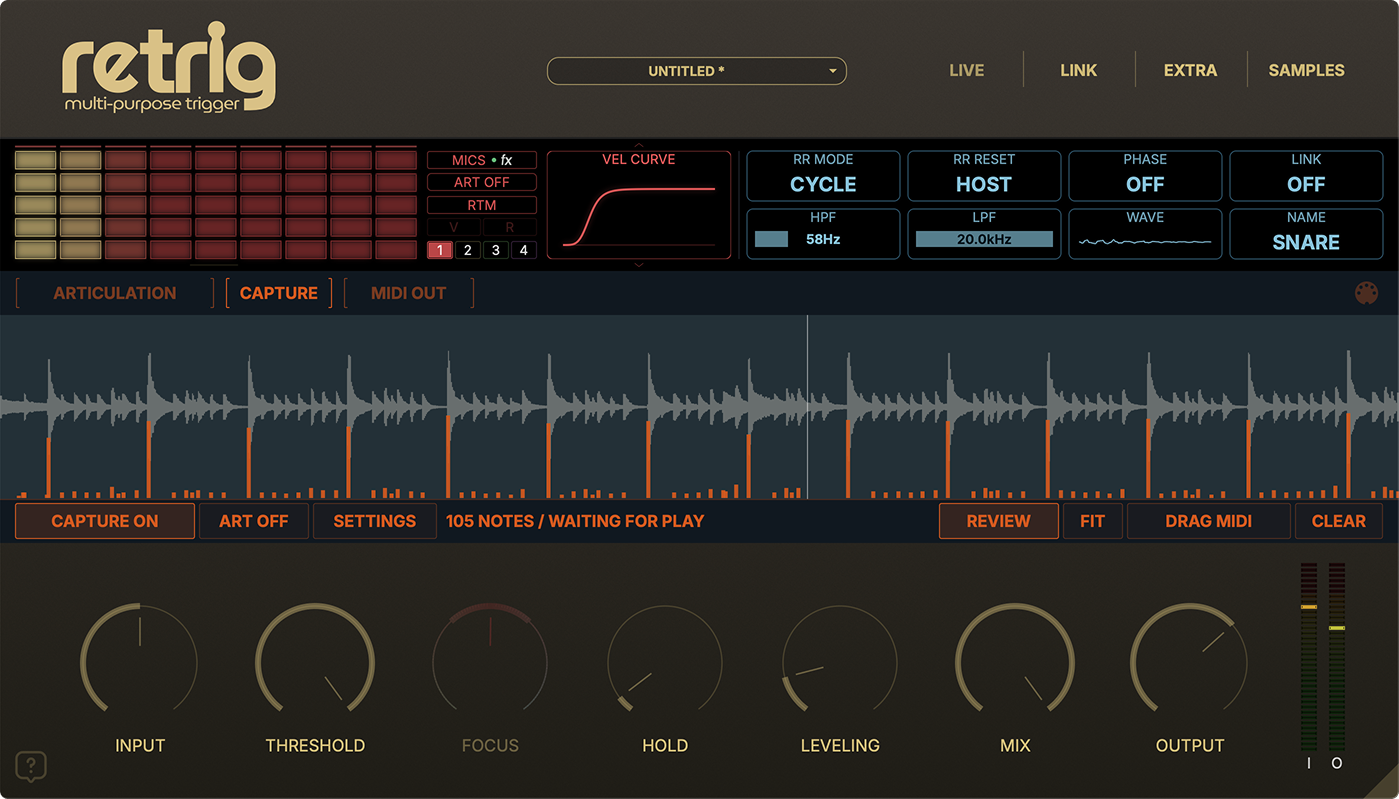
Retrig MIDI Capture view showing detected notes and velocities

MIDI Capture

Capture detected hits as a MIDI performance. Review notes, velocities and scanned ranges, then drag a .mid file into your DAW for editing or another instrument.

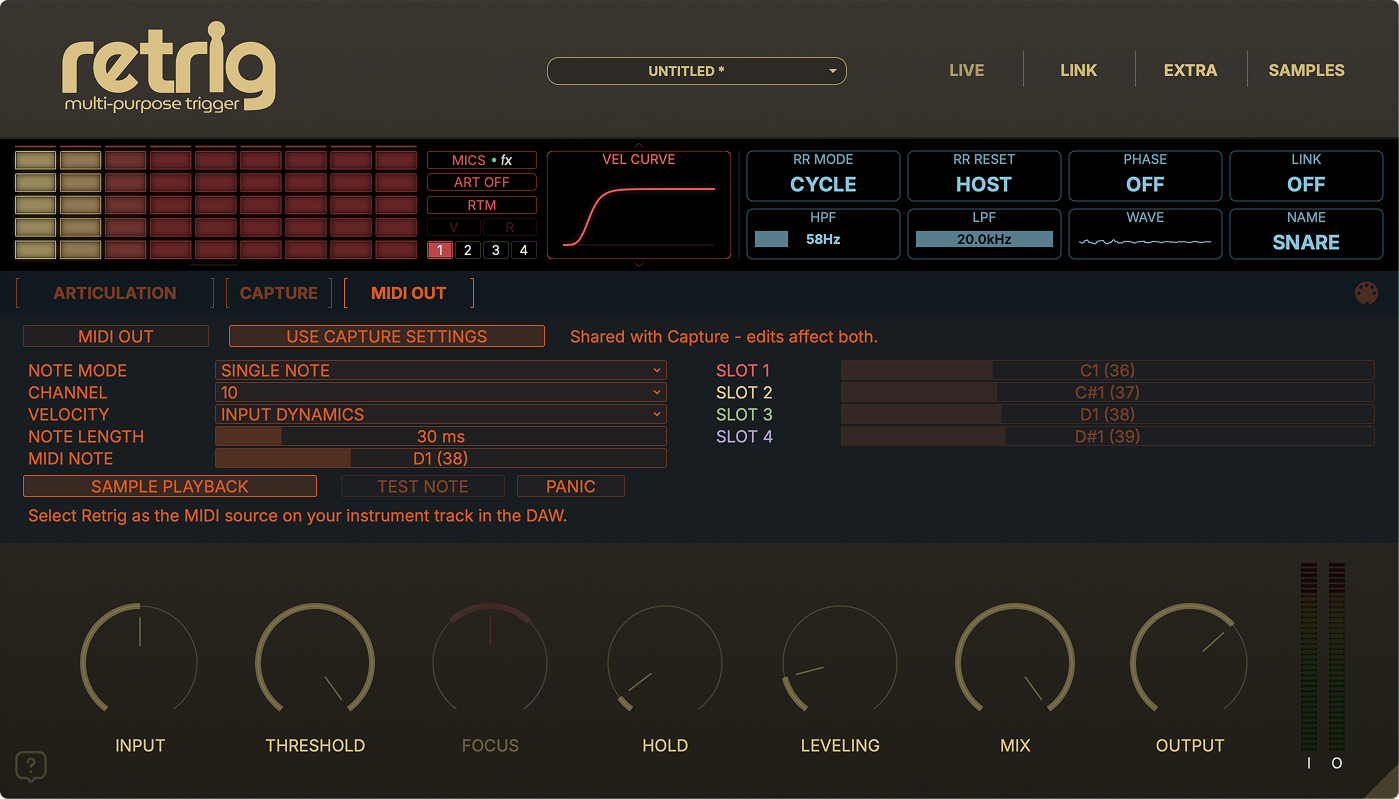
Retrig realtime MIDI OUT settings

Realtime MIDI OUT

Send accepted hits directly to another instrument as MIDI notes. Choose a single note or articulation mapping, then set channel, velocity source and note length.

Realtime MIDI routing depends on your DAW and plug-in format. If the route is unavailable, use MIDI Capture to export the performance.

Compatibility & FAQ

macOS
Intel / Apple Silicon · Audio Unit, VST3 and AAX
Windows
x64 · VST3
Host
A compatible DAW is required. Retrig is an audio-track plug-in.
Samples & instruments
WAV, AIF / AIFF, FLAC, MP3, RTI and RTM
License
Personal license · License-key activation
Trial
7-day trial with a product-specific trial key
Do I need MIDI to use Retrig?

No. Retrig detects hits directly from audio. MIDI Capture and realtime MIDI OUT are optional ways to use the detected performance with other instruments.

Can I use my own samples?

Yes. Load WAV, AIF / AIFF, FLAC or MP3 files, ready-to-play RTI instruments, or multi-microphone RTM instruments. Each sample slot supports up to 12 velocity layers and 12 round robins.

What is the difference between LIVE and STUDIO?

STUDIO supports FOCUS and LINK bleed suppression. LIVE reduces the plug-in latency to approximately 4.2 ms; FOCUS and LINK are unavailable in this mode. The RTM mixer and microphone effects remain available in LIVE.

Can I mix RTM microphones in my DAW?

Yes. Assign microphones to MAIN or one of ten additional stereo RTM outputs. Enable those buses in your DAW and create the corresponding receiving channels. Output availability and setup depend on the host.

Does MIDI OUT work in every DAW?

Realtime MIDI routing depends on the DAW and plug-in format. If your host does not expose the required route, MIDI Capture can export the detected performance as a .mid file.

How do I activate Retrig?

Install the format your DAW supports, open Retrig and enter your Retrig license key in the activation screen. The 7-day trial also requires a Retrig trial key, available in Demos & Downloads.

License terms ↗

Retrig — $79.00 USD

TRY THE DEMO

Free libraries for Retrig.

Explore Velvet Drums in RTI and RTM formats. Download without an account; use them with a Retrig trial or full license. WAV editions are sold separately.

Your cart (0)

Your cart is empty. Explore Retrig and the sample library collection to get started.

My Products & Downloads ↗