


In beta · Coming October 2026

Record the hits. Let Remiq handle the routine.

Recording the instrument is only the start. Finding every hit, matching microphone tracks, sorting dynamics and naming files means repeating the same editing steps across the entire session.

Remiq Professional brings capture, automatic detection, velocity and round-robin organization, editing and export into one standalone application. Work with live instruments, synchronized recordings or a VST3 instrument.

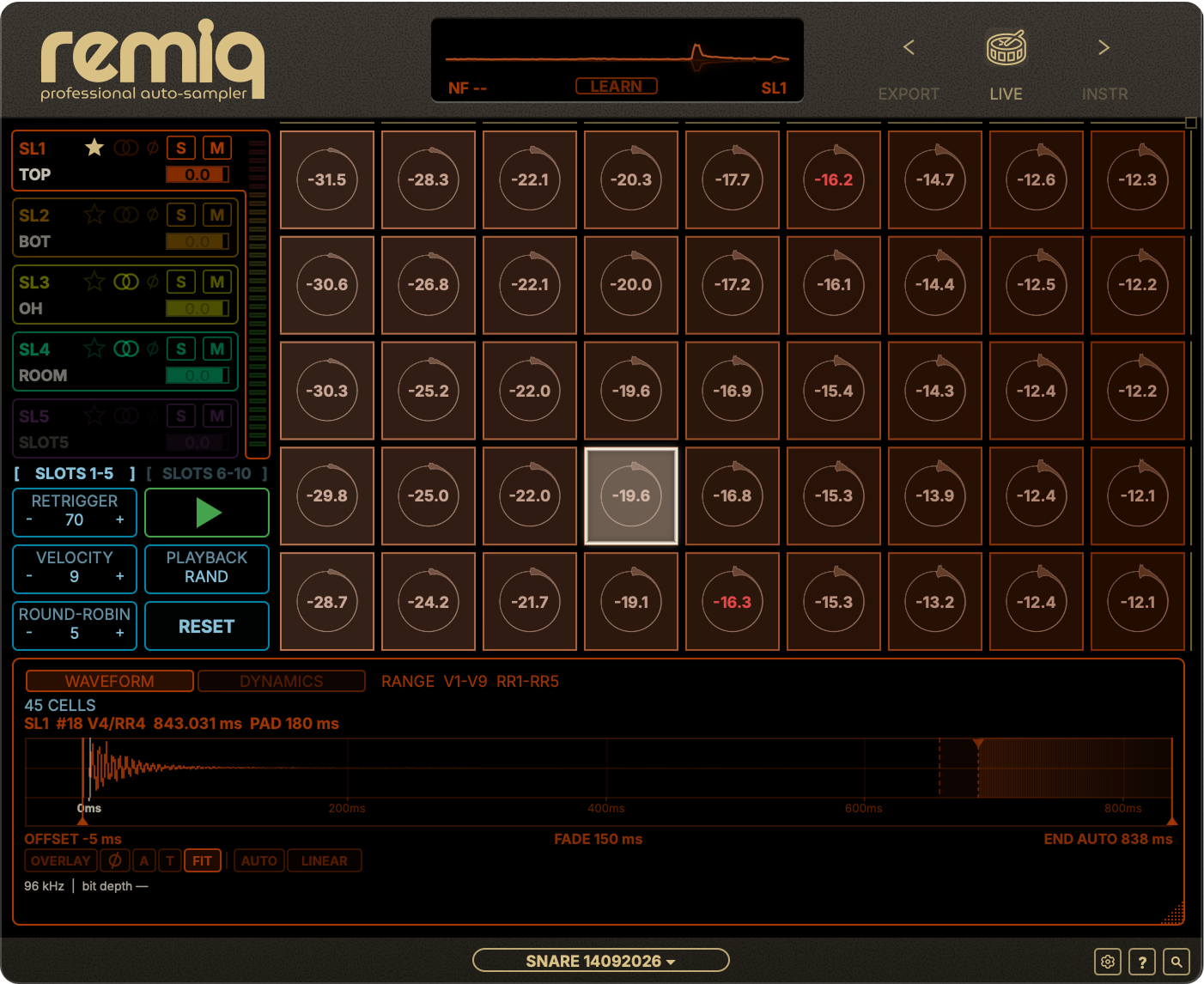
Remiq Professional with a populated velocity and round-robin matrix

Remiq Professional beta · Select the image to view full size

Up to

mono / stereo slots
10
velocity layers
12
round robins
12
samples per slot
144

Three ways to build a library.

Record a physical instrument

Play the hits through your audio interface. Remiq detects each performance and captures all participating microphones together. Audition or retake recordings before distributing them into velocity layers and round robins.


Turn existing recordings into a library

Already recorded the session? Import synchronized microphone stems and let Remiq find the hits and propose a velocity and round-robin layout. Exclude false detections before creating the matrix, without changing the original recordings.

Automatically sample a VST3 instrument

Set the keys, velocity layers and repetitions once. Remiq plays and records the VST3 instrument automatically, including routed outputs. Capture one sound or a key range using offline or realtime rendering.

From individual hits to a velocity × round-robin matrix.

Remiq uses the lead channel to sort reviewed LIVE takes by dynamics. Softer and harder performances become velocity layers; alternate takes become round robins. Related microphone recordings follow the same placement.

Imported stems get a proposed matrix before you commit. Inspect the detected hits, exclude unwanted takes and adjust the dimensions before confirming.

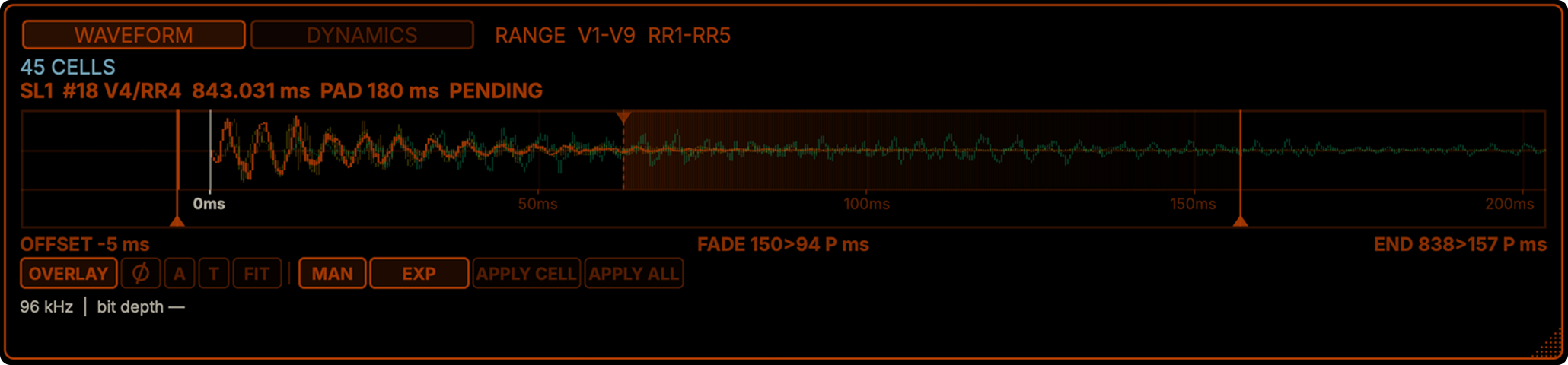
Remiq Professional waveform editor with start, sample end and fade-out controls

Edit a sample.
Apply it across the matrix.

Set the start trim, tail length and fade-out. Check one sample, then apply those parameters across the populated matrix instead of repeating the edit file by file.

Keep a common start across microphones. Compare their waveforms and check the mix with per-slot gain, polarity inversion, mute and solo.

For an unsuccessful LIVE hit, retake it during review or re-record selected cells after distribution. The surrounding samples stay intact.

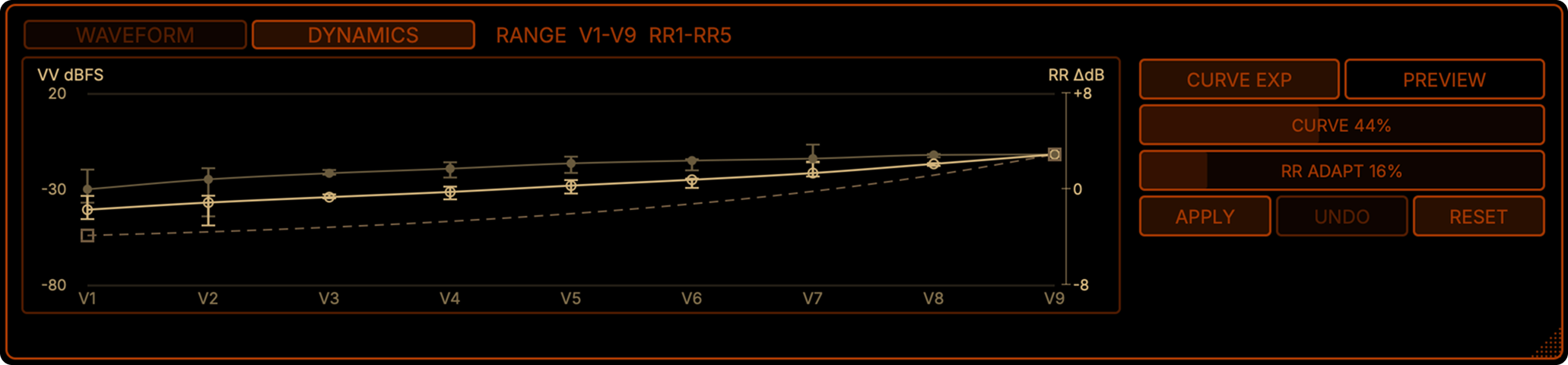
Remiq Professional Dynamics graph showing proposed velocity-layer gain corrections

Shape the dynamics.
Keep the variation.

Balance gain between velocity layers and reduce excessive level differences between round robins. Preview the correction across the matrix before applying it.

Optional import normalization adjusts levels per velocity layer while preserving variation between alternate takes. Both processes keep the relative microphone balance intact.

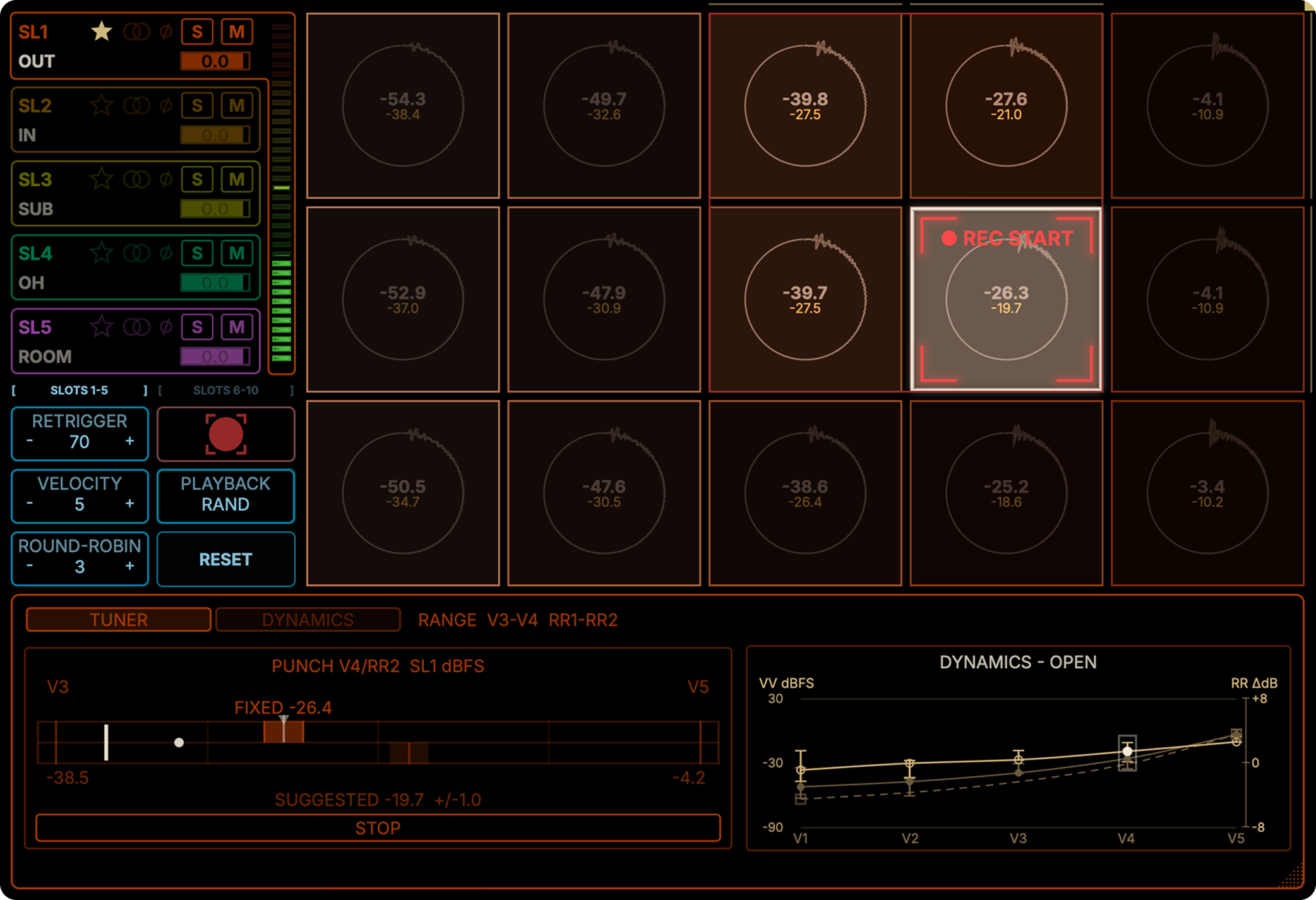
Remiq Professional Punch In view with a selected matrix cell and Dynamics Tuner

Replace the hit.
Match the dynamics.

Punch In lets you re-record a selected matrix cell without rebuilding the library. The surrounding velocity layers and round robins remain intact.

Dynamics Tuner shows the target level and acceptable range for the replacement take, helping you match it accurately to neighbouring velocity layers. All participating microphone slots are recorded together and remain aligned.

Build the filename once.
Name the whole export.

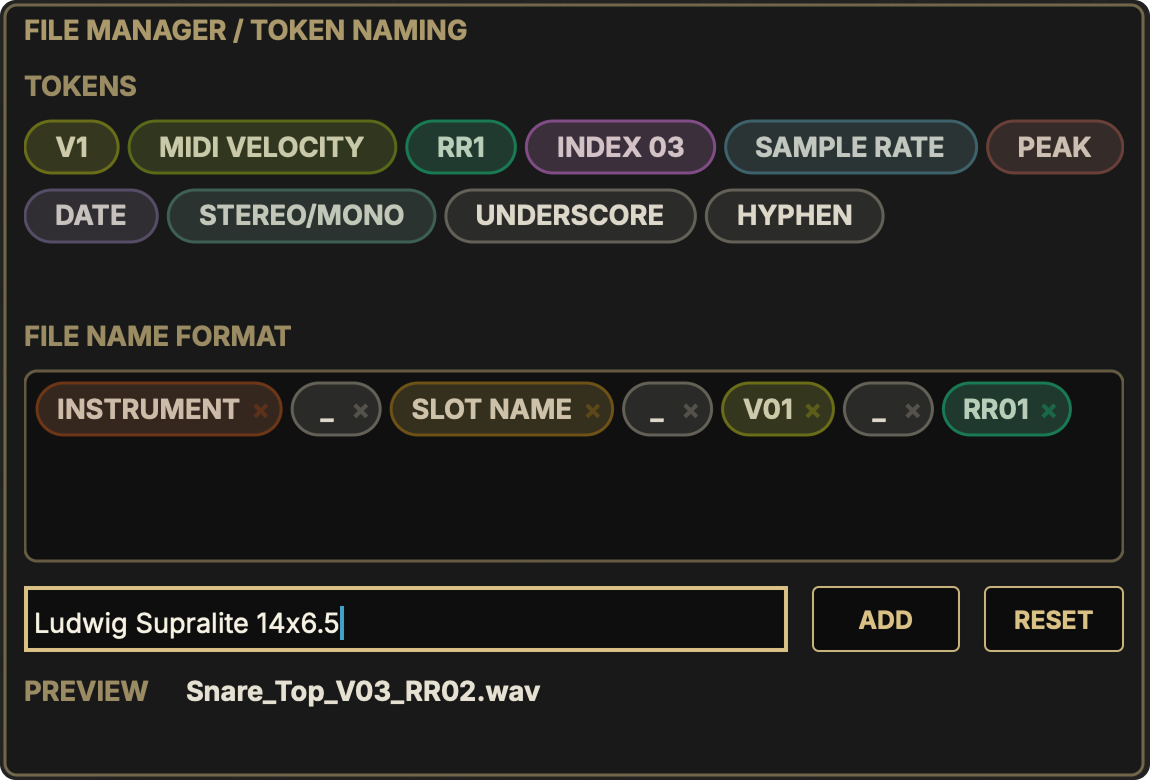
Arrange tags for instrument, microphone slot, velocity layer and round robin. Add your own text and separators, then check the preview. Every file follows your naming pattern.

Remiq Professional File Manager with token-based filename format and export preview

WAV, AIFF. Or RTI for Retrig.

Export separate microphone files or a combined mix, with selectable sample rate and bit depth where applicable. RTI is an additional option for creating an instrument for Retrig.

Save now. Continue later.

A .remiq project collects your session audio, matrix and editing settings. Reopen it to refine the library or export another version without importing and organizing the recordings again.

60× faster*

Turn hours of manual sample editing into seconds.

Automatically detect, cut, trim, fade, organize and export your samples with Remiq Professional.

Up to 10 synchronized channels processed at once.

*60× result based on an internal single-track test with 45 samples: 5 velocity layers × 9 round robins. Manual processing took approximately 15 minutes; the same workflow in Remiq Professional took approximately 15 seconds. Multi-channel sessions can deliver additional time savings depending on workflow and session complexity.

Remiq Professional.
Coming October 2026.

Join the waitlist and we'll let you know when it's ready.